What Is DKIM and Why Does It Matter for Your Business Email?
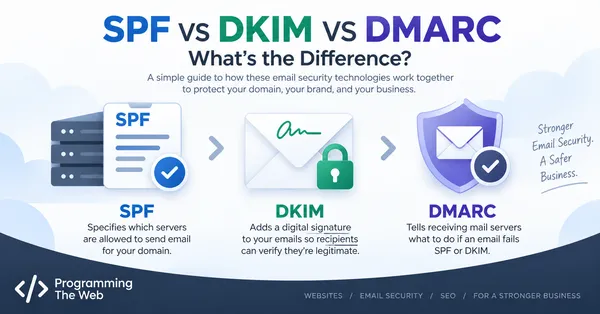
SPF checks where an email came from. DKIM checks something different — whether the email that arrived is actually the same one that was sent, or whether it was tampered with along the way. It’s the piece of the puzzle that adds a digital signature to your outgoing mail, and it’s usually the least understood of the three major email authentication standards.
What DKIM Actually Is
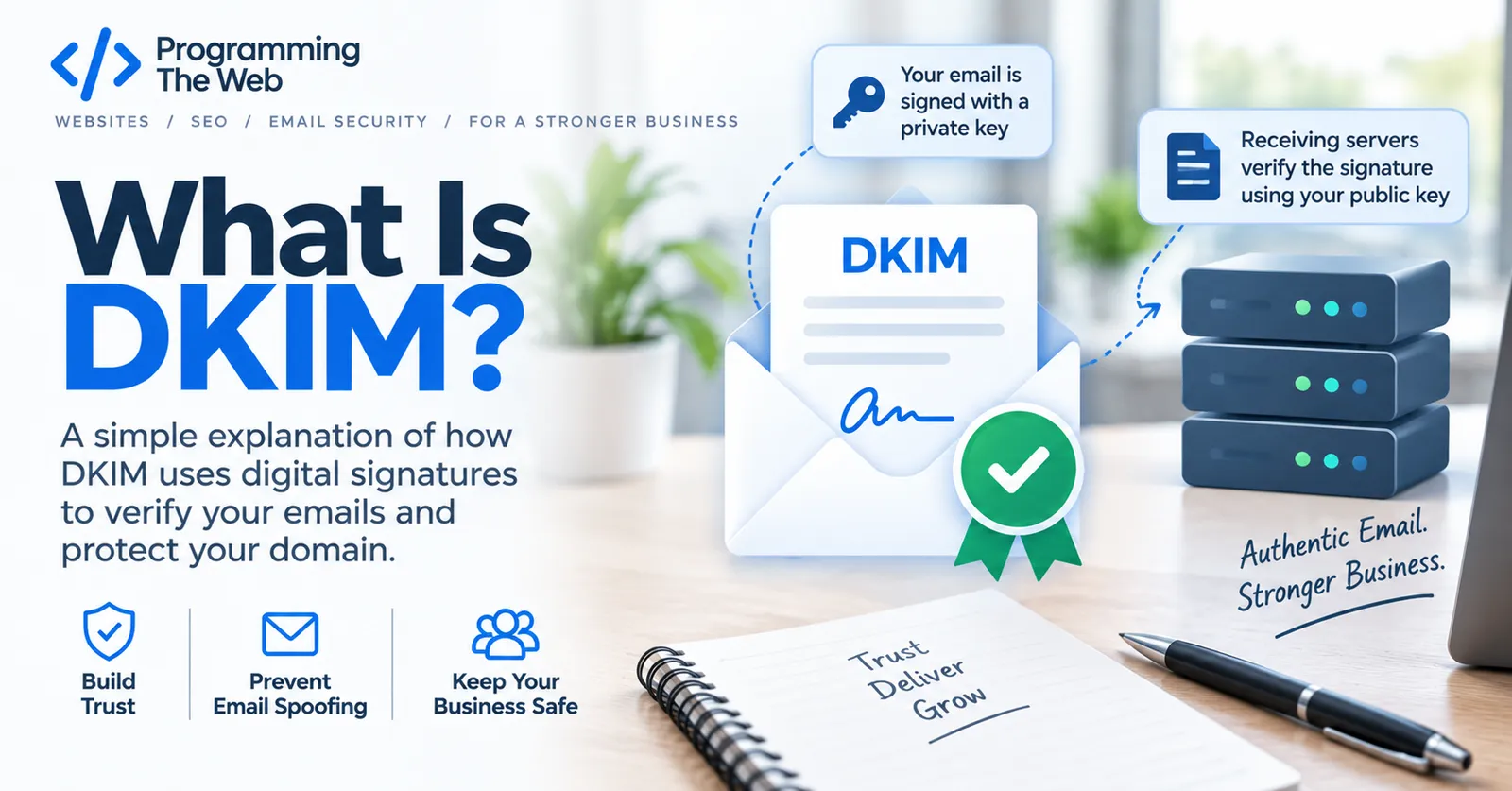
DKIM (DomainKeys Identified Mail) attaches a digital signature to each email your domain sends, generated using a private key that only your mail server has access to. The receiving mail server checks that signature against a matching public key published in your domain’s DNS.
If the signature checks out, the receiving server knows two things: the message really was sent by something with access to your domain’s private key, and the content wasn’t altered anywhere between leaving your server and arriving in the recipient’s inbox. If either the sender or the content doesn’t match what the signature expects, the check fails.
How the Signature Actually Works
At a high level:
- Your mail server (or whatever service sends email for your domain) generates a public/private key pair.
- The public key gets published as a DNS TXT record, tied to a specific “selector” — a short name that identifies which key pair is being used.
- Every outgoing email gets signed with the private key, and a
DKIM-Signatureheader is added to the message showing which selector and domain to check. - The receiving server looks up that selector’s public key in DNS and verifies the signature.
That selector is the detail that trips people up. A domain doesn’t have one universal “DKIM record” — it has one per sending service, each published under its own selector name (like google._domainkey.yourbusiness.com or s1._domainkey.yourbusiness.com). Switch email providers, and you’ll typically need to publish a new DKIM record under whatever selector that provider assigns.
What a DKIM DNS Record Looks Like
A DKIM record is published at <selector>._domainkey.yourdomain.com and looks something like this:
v=DKIM1; k=rsa; p=MIGfMA0GCSqGSIb3DQEBAQUAA4GNADCBiQKBgQC...v=DKIM1— marks this as a DKIM record.k=rsa— the key type (RSA is standard).p=— the actual public key, base64-encoded. If this is empty, it means the key has been intentionally revoked.
You won’t typically write this record by hand — your email provider (Google Workspace, Microsoft 365, your transactional email service, etc.) generates the key pair and gives you the exact DNS record to publish.
Why It Matters for Small Businesses
Without DKIM, there’s no reliable way for a receiving server to confirm your outgoing email wasn’t modified in transit, and no cryptographic link between the message and your domain. That weakens the other two pieces of the system: DMARC relies on either SPF or DKIM passing (and, for the strictest setups, both) to make its enforcement decision, so a domain missing DKIM is more exposed than it needs to be even with SPF and DMARC otherwise configured correctly.
DKIM also tends to survive email forwarding better than SPF does, since the signature travels with the message itself rather than depending on which server relayed it.
DKIM’s Blind Spot
Here’s the honest caveat: because DKIM selectors aren’t standardized or predictable, there’s no universal place to check whether a domain has DKIM set up — you have to already know the selector a provider uses. That makes DKIM harder to audit from the outside than SPF or DMARC, both of which live at well-known, guessable DNS locations. If a domain-checking tool (including ours) reports DKIM as “not found,” treat that as “we couldn’t confirm it,” not “it definitely isn’t there” — a real absence of DKIM is still worth fixing, but a negative result deserves a second look before you assume the worst.
SPF, DKIM, and DMARC Work Together
Read together with SPF and DMARC, the pattern is: SPF authorizes which servers can send for your domain, DKIM proves a message wasn’t altered and really came from an authorized sender, and DMARC ties the two together with an enforcement policy. Missing any one of them leaves a real gap — DKIM is the one most often skipped simply because it’s the least visible to check.
Checking Your Own Domain
You can check your domain’s SPF and DMARC setup — and get a best-effort DKIM read — free, in a couple of minutes, no signup required.